
A new website should bring in more customers than the old one. Sometimes it does the opposite. A business launches a beautiful redesign, and within weeks its Google traffic drops, enquiries slow and pages that used to rank have disappeared. The design wasn’t the problem. Usually, nobody planned for what search engines would see when the old site went away. A good website redesign checklist covers both sides: building a better site for visitors, and moving everything search engines already value safely across.
This guide helps you decide whether you really need a redesign, then walks through what to do before, during and after launch so you keep your rankings. If you’re planning a new site, see mediaSine’s website design services.
Signs It’s Time for a Website Redesign
Not every tired-looking site needs a full rebuild. Sometimes a refresh of key pages, better photos and faster hosting are enough. A complete website redesign usually makes sense when several of these are true:
- It’s hard to use on a phone, with small text, awkward menus or slow loading
- It no longer reflects your business: services, prices or branding have changed
- Your team can’t update it easily without calling a developer
- It doesn’t convert: visitors arrive but rarely call, message or buy
- The technology is outdated, insecure or no longer supported
If only one or two apply, start with targeted fixes. If most apply, a redesign is likely worth it, as long as you protect what already works. That’s where a website redesign checklist earns its place: it turns a risky project into a series of steps you can check off and hand to your designers, developers and content team.
Why Redesigns Damage SEO?
Search engines rank individual pages, not whole websites. Over time, your existing pages earn rankings, links from other sites and a history of clicks. During a redesign, those pages often change address, lose their content or disappear entirely. If the old addresses aren’t redirected to the right new pages, search engines see broken links and start dropping you from results.
Other common causes include removing pages that brought steady traffic, rewriting content so it no longer matches what people search for, launching with the new site accidentally blocked from search engines, and slower page speed. All of these are avoidable with planning. That’s what this checklist is for.
Before You Start: The Planning Stage of Your Website Redesign Checklist
Define what the new site must achieve
Write down the goals before anyone opens a design tool: more enquiries, online sales, easier updates, better mobile experience, a new language version. Clear goals guide every design decision and help you judge success after launch.
Record your current performance
Capture a baseline so you can compare later. From Google Search Console, export the pages and search queries that bring the most clicks and impressions. From analytics, note your traffic, top landing pages, and enquiries or sales by page. Keep this data somewhere safe; you’ll need it after launch, and it’s the first thing to check if traffic changes.
Crawl the existing site
Use a crawling tool to list every URL on your current site, including pages, images, PDFs and blog posts. This becomes your master inventory. Many businesses are surprised by how many old pages exist that nobody remembered.
Identify the pages that matter most
From your data, flag the pages that bring traffic, rank for valuable searches, receive links from other sites or generate enquiries. These pages need the most care. Their content, topic and keywords should carry over to the new site, even if the design changes completely.
Set your budget
A redesign that includes SEO migration work, content updates and testing costs more than a design-only project, but it’s far cheaper than recovering lost traffic later. Our guide to what a website costs in Lebanon explains the main cost drivers.
During the Build: Site Migration SEO
This is the heart of site migration SEO, and the part most often skipped.
Map every old URL to a new one
Create a redirect map: a spreadsheet listing every old URL alongside the most relevant new URL. Where a page keeps the same address, no redirect is needed. Where it moves, plan a permanent 301 redirect to its closest equivalent. Avoid redirecting everything to the homepage; send each old page to the new page that best matches its topic. Only let pages go entirely when they genuinely have no value, and treat that as a deliberate decision.
Keep the content that ranks
You can improve pages that rank, but don’t strip out the topics and words that made them rank. If an old service page ranked for a particular service in Beirut, the new page should still clearly cover that service in Beirut. Rewrite to improve clarity and conversion, not to remove substance.
Carry over the on-page basics
Make sure each important page has a clear title tag, meta description, a single main heading, descriptive subheadings and image alt text. Keep a sensible internal linking structure, so key pages are still linked from the menu and related content.
Build on a staging site and block it
Develop the new site on a staging environment that search engines can’t index, usually through password protection or a noindex setting. This prevents duplicate content while you build. Just as important: remove that block on launch day.
Plan multilingual versions properly
If you’re adding Arabic or French versions, give each language its own URLs, write each version natively and plan hreflang tags so search engines show the right version to the right audience.
The Launch Day Website Redesign Checklist
Launch day is where small mistakes cause big drops. Before and immediately after switching over, check that:
- Search engine blocks are removed from the live site, including noindex tags and robots.txt rules
- All 301 redirects are live and tested against your redirect map
- The XML sitemap is updated and submitted in Google Search Console
- Analytics and conversion tracking work, including forms, calls and WhatsApp clicks
- Contact forms, checkouts and key buttons work on mobile and desktop
Also update your Google Business Profile with the correct website link, and check that social media profiles point to the right pages.
After Launch: Monitor and Fix
Watch Search Console closely
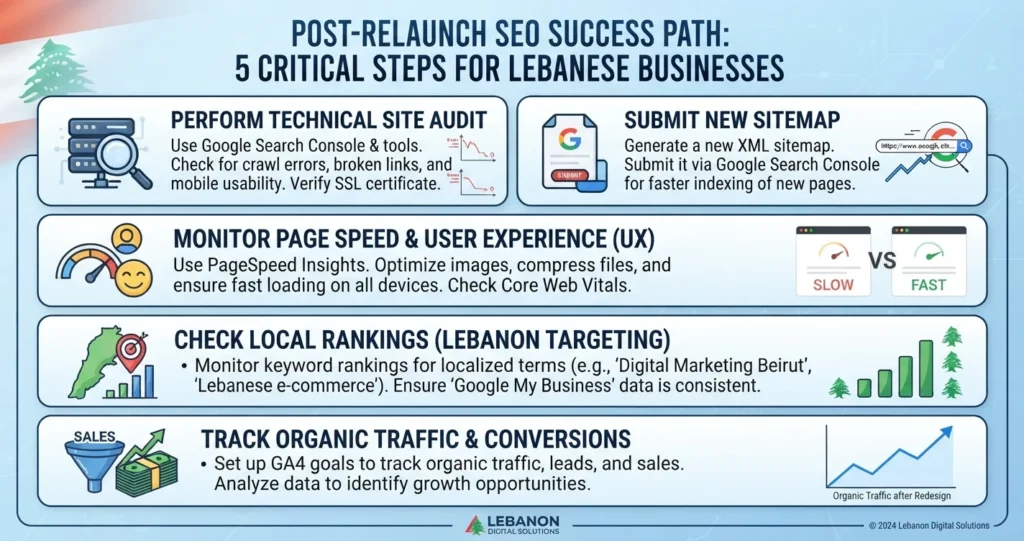
For the first few weeks, check Google Search Console regularly. Look for crawl errors, pages that return “not found”, pages excluded from the index and changes in clicks and impressions. Fix broken links and missing redirects as soon as they appear.
Compare against your baseline
Compare traffic, rankings and enquiries for your most important pages with the baseline you recorded. Some movement is normal after a redesign while search engines re-crawl the site, but sharp, sustained drops on key pages usually point to a missing redirect, removed content or a technical issue.
Keep improving
A redesign is a starting point, not a finish line. Once the site is stable, use your new, easier-to-update platform to improve content, add pages for services you didn’t cover before and test changes that lift conversions. Ongoing SEO support during a relaunch helps you spot problems early and build on the new foundation.
An Example: A Beirut Clinic’s Redesign
Picture a clinic in Beirut whose old site ranks well for several treatments but looks dated and is hard to use on phones. Before the redesign, the team exports its top pages and searches from Search Console and crawls every URL. The new site uses cleaner addresses, so every treatment page gets a 301 redirect to its new equivalent, and each new page keeps its treatment focus while gaining better photos, FAQs and a WhatsApp booking button. On launch day, the team removes the staging block, submits the new sitemap and tests every form. Traffic dips slightly for a couple of weeks, then recovers, and enquiries from the treatment pages rise because the pages now convert better. This is an illustrative scenario, not a client example; results depend on the site and its competition.
Who Should Own Each Step?
Redesigns involve several people, and SEO tasks often fall between them. Designers focus on layout, developers on building and launching, and marketing on messaging. Nobody owns the redirects. Assign each part of your website redesign checklist to a named person: who exports the baseline data, who builds the redirect map, who checks content against the old pages, who removes the staging block and who monitors Search Console after launch. A shared spreadsheet with owners and dates keeps the project on track and makes problems easy to trace if something goes wrong. If you work with an agency, ask at the start who handles SEO migration and how it’s tested.
Common Redesign Mistakes
The same errors appear again and again. Teams launch without redirects, or redirect every old page to the homepage. They delete blog posts and service pages that brought steady traffic. They forget to remove the noindex tag from the staging site. They change the domain at the same time as the design, multiplying the risk. And they don’t record a baseline, so nobody can tell what went wrong. A thorough website redesign checklist prevents almost all of these.
A new website should build on your existing visibility, not throw it away. Use this website redesign checklist to decide whether a redesign is truly needed, record a baseline, map every URL, keep the content that ranks, test thoroughly at launch and monitor closely afterwards. Do that, and your new site can look better, work better and attract more customers than the old one.
Redesign Without Losing What Works
Get a redesign assessment
mediaSine reviews your current site’s performance and plans redesigns that protect your rankings while improving design and conversions
Frequently Asked Questions
It doesn’t have to. Most SEO losses after a redesign come from missing redirects, removed content or technical errors at launch. With a redirect plan, preserved content and careful testing, many sites keep or improve their rankings.
If the migration is handled well, fluctuations usually settle within a few weeks as search engines re-crawl the site. If key redirects or content were missed, recovery can take much longer, which is why prevention matters.
Only if there’s a strong business reason. Changing the domain and design at the same time adds risk. If you must do both, plan redirects and monitoring with extra care.
At minimum: goals, a performance baseline, a full URL inventory, a redirect map, content and on-page checks, a staging plan, a launch-day checklist and post-launch monitoring.
